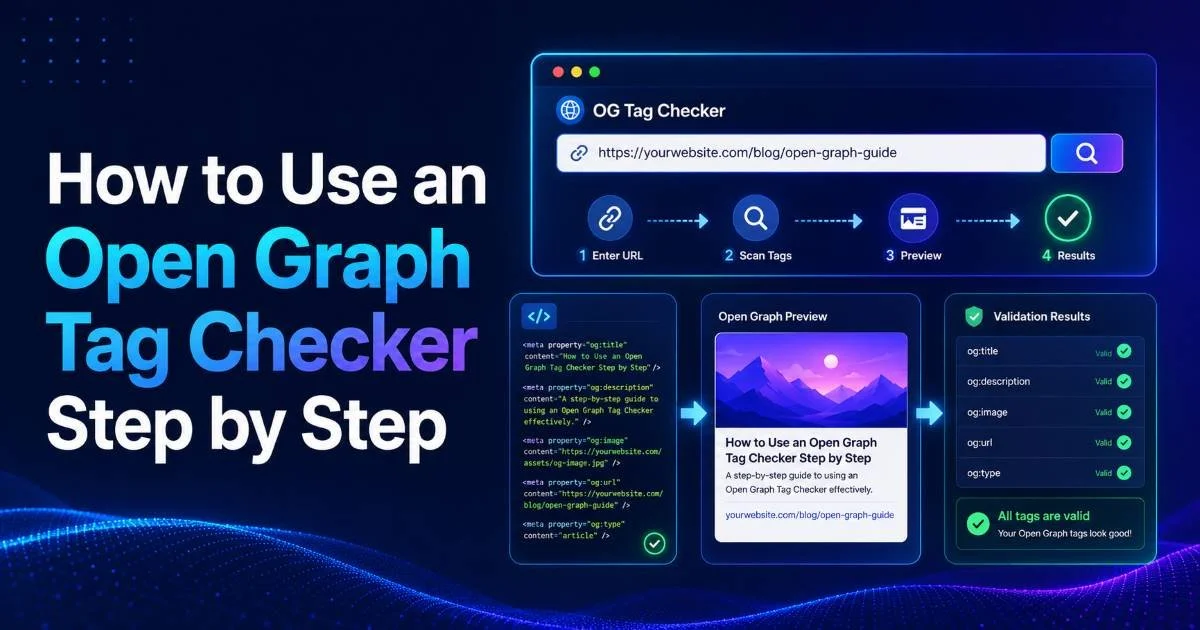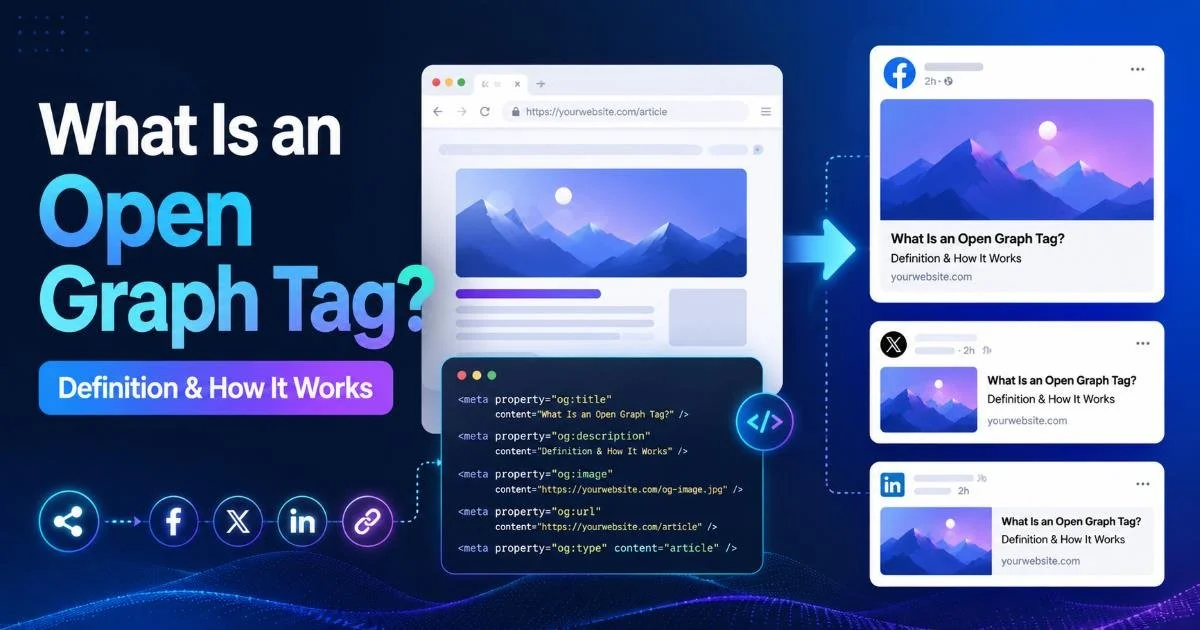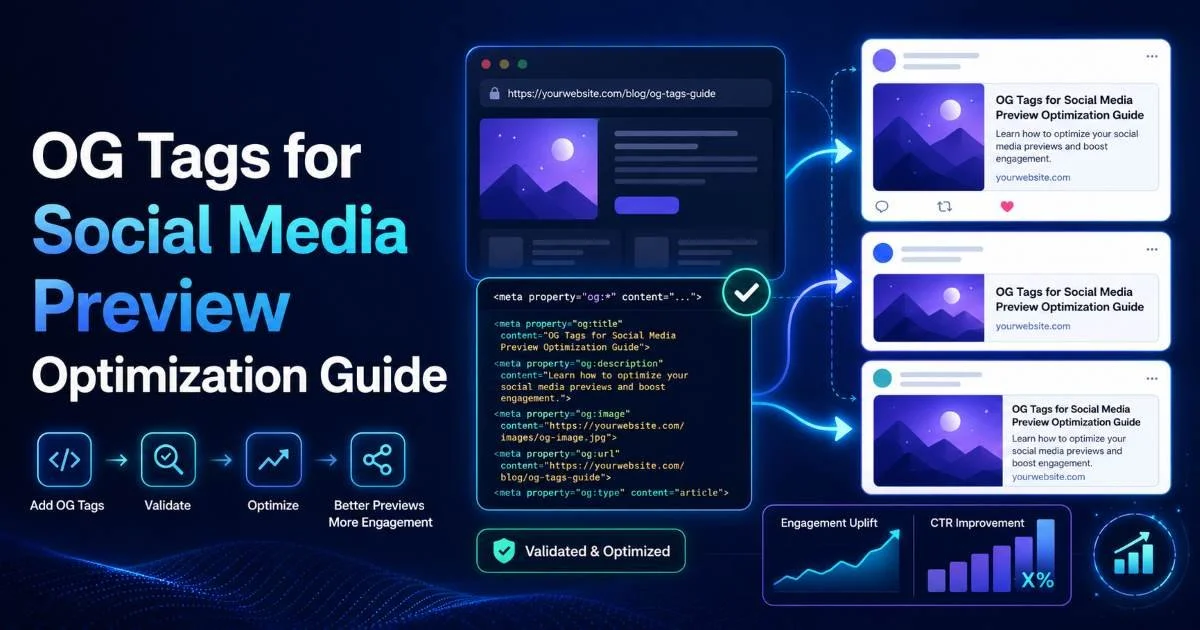
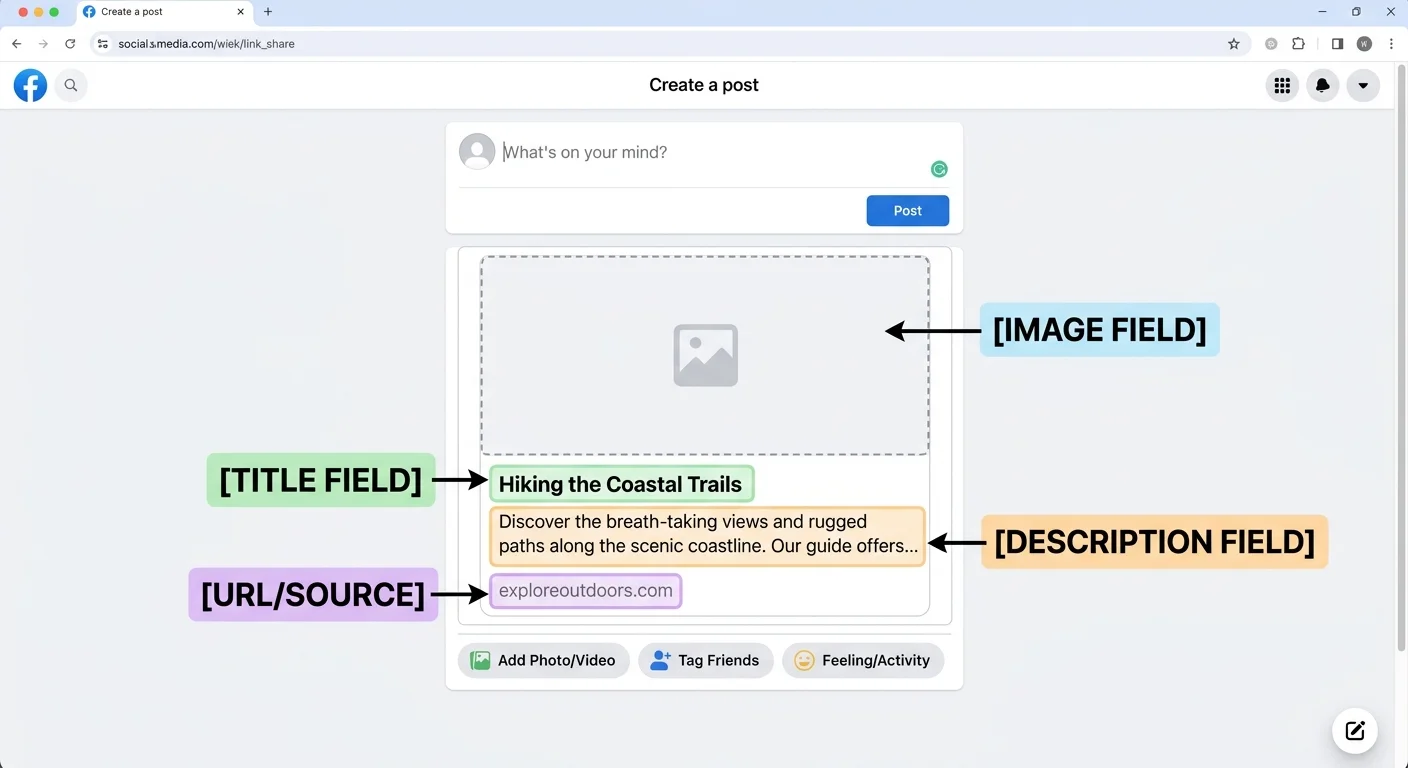
Open graph tags are the invisible backbone of how your content appears when shared on social media platforms. Every time someone pastes a link into Facebook, LinkedIn, Twitter, or Slack, the platform's crawler reads your OG tags to generate a rich preview card with a title, description, and image. Without properly configured metadata, your links look bland, unclickable, and unprofessional.
An understanding of how open graph tags work is foundational, but knowing how to optimize them for maximum click-through rates is where real value lives. Using an og tag checker or social media preview validator before publishing can save you from embarrassing formatting errors. This guide walks you through every practical step to audit, write, and perfect your OG metadata so your content stands out in crowded feeds.
Key Takeaways
- Always validate your OG tags with a link preview tool before publishing any page.
- Write og:title under 60 characters and og:description under 155 characters for best results.
- Use images sized at 1200x630 pixels to avoid cropping across all major platforms.
- Set unique OG tags per page instead of relying on global site-wide defaults.
- Re-scrape your URLs after updates because platforms cache old preview metadata aggressively.
Step 1: Audit Your Existing OG Tags
What to Look for in an Audit
Before writing a single line of new markup, you need to know what you're working with. Run your most-shared URLs through a metadata validator like OG Checker to see exactly what social platforms are reading from your pages. Pay attention to whether og:title, og:description, og:image, and og:url are all present. Missing even one of these four properties means platforms will guess, and their guesses are almost always wrong.
Check whether your tags reflect the actual content of each page. A common problem on CMS-driven sites is that every page inherits the same homepage OG tags because nobody configured page-level overrides. This means sharing your pricing page on LinkedIn might display your homepage title and hero image, which confuses potential visitors and kills click-through rates.
Common Audit Findings
During audits, I consistently find three recurring issues. First, og:image URLs that point to relative paths instead of absolute URLs, which causes broken images on Facebook and Twitter. Second, og:description tags that are either missing entirely or stuffed with the first paragraph of body text, often exceeding 300 characters. Third, duplicate og:title values across dozens of pages, making every shared link look identical in someone's feed.
Document every issue in a spreadsheet with columns for URL, tag name, current value, and recommended value. This creates a clear punch list your development team can work through systematically. Prioritize your highest-traffic pages and pages you actively promote in paid social campaigns, since those generate the most preview impressions.
Export your sitemap URLs and batch-test them to catch site-wide OG tag issues in minutes rather than hours.
Step 2: Write High-Performing OG Metadata
Crafting OG Titles That Get Clicks
Your og:title is not the same as your SEO title tag, even though many developers treat them interchangeably. The SEO title targets search engine result pages where users have search intent. The OG title targets social feeds where users are scrolling passively. Write og:titles that spark curiosity or communicate immediate value. For example, "Why 73% of Marketers Switched to Headless CMS in 2024" outperforms "Our Guide to Headless CMS Solutions" every time.
Keep og:title under 60 characters. Facebook truncates titles around 65 characters on mobile, and LinkedIn cuts even shorter in compact card views. Front-load the most compelling words since the tail end might disappear. Avoid generic phrases like "Home" or "Welcome" that tell readers nothing about the page content. Each page deserves a unique, descriptive title that stands on its own when stripped of surrounding context.
Writing OG Descriptions That Convert
The og:description acts as your elevator pitch in someone's feed. Aim for 120 to 155 characters of clear, benefit-driven copy. Think of it as ad copy rather than a summary. Instead of "This article discusses best practices for social media," write "Learn the exact OG tag settings that increased our social CTR by 34% in three months." Specificity wins attention. Following social media best practices for copywriting translates directly to better preview descriptions.
Avoid keyword stuffing your descriptions. Social platforms don't use og:description for ranking, so cramming terms in there only makes the text read awkwardly. Write for humans who are deciding in under two seconds whether your link is worth a tap. Include a concrete benefit, a number, or a clear promise. Test different description styles across your pages and track which approaches generate the highest engagement rates in your analytics.
"Your OG description is a two-second sales pitch, not a summary paragraph."
Step 3: Optimize OG Images for Every Platform
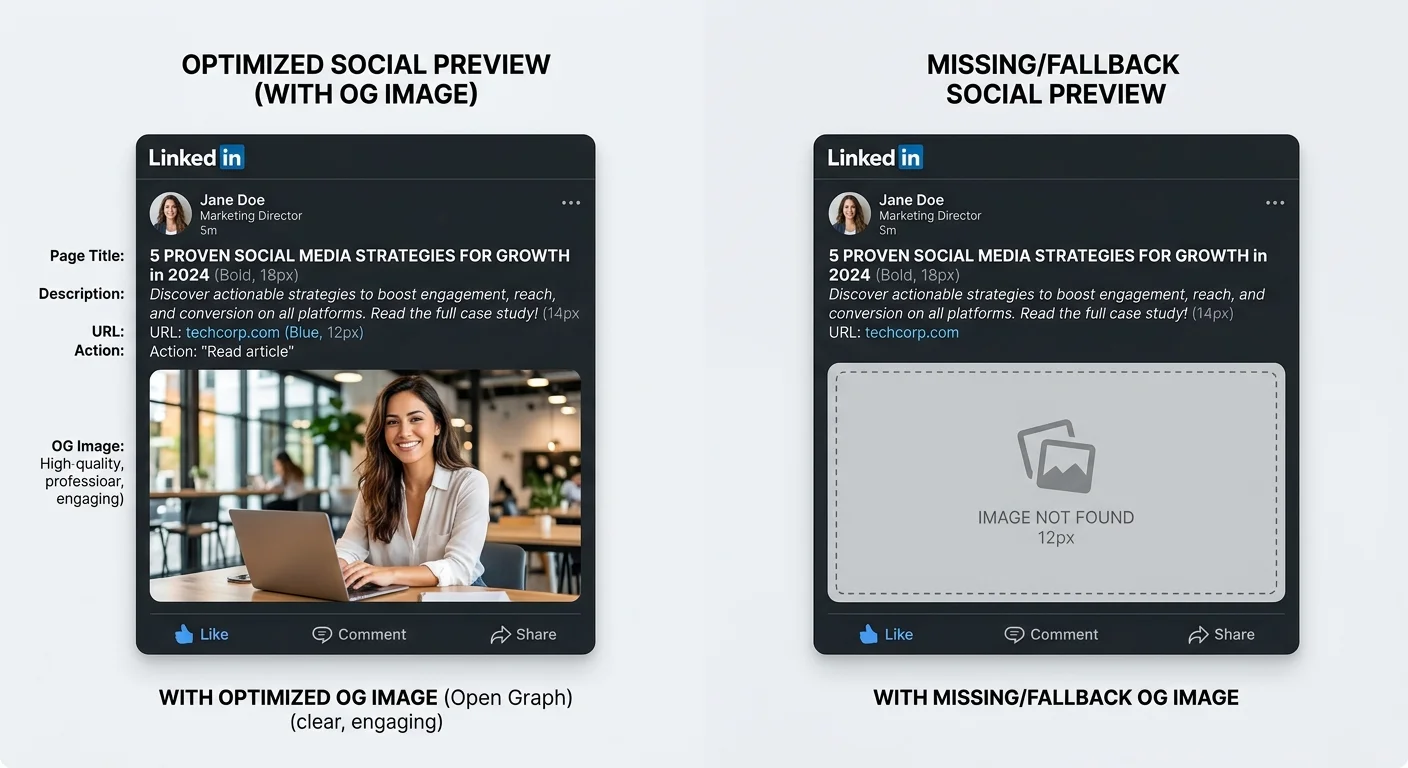
The og:image property is the single most impactful tag for social preview performance. A compelling image can double or triple your click-through rate compared to a text-only preview or a poorly cropped default. The universally recommended size is 1200x630 pixels, which maps to the 1.91:1 aspect ratio that Facebook, LinkedIn, and Twitter all use for large card previews. If you provide only one image size, make it this one.
Always use absolute URLs for your og:image value (starting with https://). Relative paths break on nearly every social platform because their crawlers don't resolve paths the same way browsers do. Host images on a fast CDN so the crawler can fetch them within its timeout window, which is typically two to five seconds. If the image fails to load during the scrape, the platform stores a blank preview that persists in its cache for days.
Images under 200x200 pixels will be ignored by Facebook entirely, resulting in a link preview with no image.
Image Specifications by Platform
| Platform | Recommended Size | Aspect Ratio | Max File Size | Format |
|---|---|---|---|---|
| 1200x630 px | 1.91:1 | 8 MB | JPG, PNG | |
| Twitter/X | 1200x628 px | 1.91:1 | 5 MB | JPG, PNG, GIF |
| 1200x627 px | 1.91:1 | 5 MB | JPG, PNG | |
| Slack | 1200x630 px | 1.91:1 | N/A | JPG, PNG |
| Discord | 1200x630 px | 1.91:1 | 8 MB | JPG, PNG, GIF |
Notice that the specifications converge around 1200x630 across all major platforms. This is not a coincidence; the open graph protocol standardized this ratio and platforms adopted it. Design one master image per page at this size. Place key text and visual elements in the center 80% of the image to account for slight cropping variations. Avoid putting text too close to the edges, as some platforms apply rounded corners or trim a few pixels from each side during rendering.
For sites with hundreds of pages, consider automated OG image generation. Tools like Cloudinary, Imgix, or custom Node.js scripts can dynamically overlay the page title onto a branded template. This approach gives every page a unique, professional-looking preview image without requiring a designer to create each one manually. The investment in automation pays off quickly for content-heavy sites that publish frequently.
Step 4: Validate, Test, and Maintain Your Tags
Writing great OG tags means nothing if you don't verify they work before your audience sees them. Use an open graph tag checker to preview exactly how your link will appear on Facebook, Twitter, LinkedIn, and other platforms. The rendering can differ subtly between platforms, so checking one is not enough. Facebook might display your image correctly while Twitter crops it awkwardly because you forgot to include the twitter:card meta tag alongside your OG tags.
After updating tags, you must force platforms to re-scrape your URLs. Facebook caches previews aggressively, sometimes for weeks. Use Facebook's Sharing Debugger to fetch new information. Twitter's Card Validator serves the same purpose. LinkedIn's Post Inspector lets you refresh cached data for that platform. Skipping this step is the number one reason developers update their OG markup, share a link, and see the old preview still showing.
Some CDNs and caching layers serve stale HTML to social media crawlers. Purge your CDN cache before re-scraping.
Building a Maintenance Workflow
OG tag optimization is not a one-time task. Build it into your content publishing workflow. Before any page goes live, the checklist should include: verify og:title is unique and under 60 characters, confirm og:description is between 120 and 155 characters, validate that og:image loads at 1200x630, and run the URL through a social media preview tool. Add this as a required step in your CMS publishing process or CI/CD pipeline to catch issues automatically.
For larger teams, create a shared dashboard that monitors OG tag health across your site. Automated crawlers can run weekly, flagging pages with missing or malformed tags. Pair this with analytics tracking that measures social referral CTR by page.
Over time, you build a data-driven feedback loop: audit tags, optimize copy and images, validate with a link preview tool, measure performance, and iterate. This systematic approach compounds over months and turns social sharing from an afterthought into a genuine traffic driver.
Add OG tag validation to your pre-deployment checklist right next to broken link checks and accessibility audits.
Frequently Asked Questions
?How do I re-scrape a URL after updating my OG tags?
?Is og:title the same as my page's SEO title tag?
?How long does it take to audit OG tags across a large site?
?Why does my shared link show the homepage image instead of the page image?
Final Thoughts
Optimizing your open graph tags is one of the highest-return, lowest-effort improvements you can make to your site's social presence. The steps are straightforward: audit what exists, write compelling metadata, design proper images, and validate everything with a reliable og tag checker before publishing.
Most of the work happens upfront during the initial audit and template configuration. Once your workflow includes OG tag validation as a standard step, maintaining quality previews becomes almost automatic. Your links deserve to look as good as the content behind them.
Disclaimer: Portions of this content may have been generated using AI tools to enhance clarity and brevity. While reviewed by a human, independent verification is encouraged.