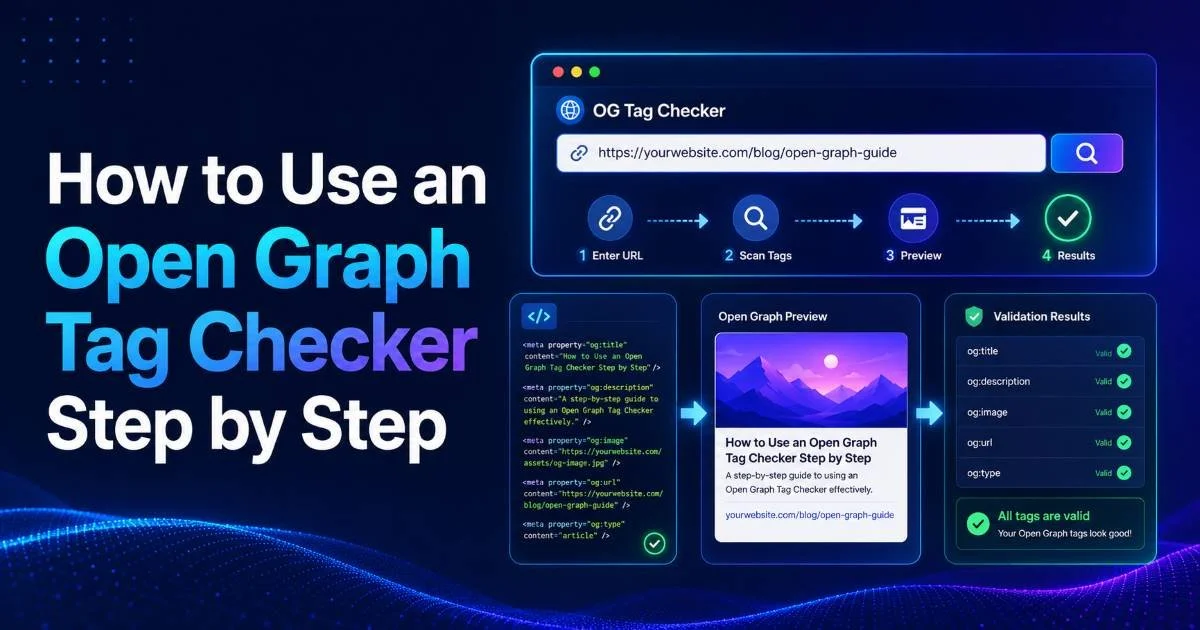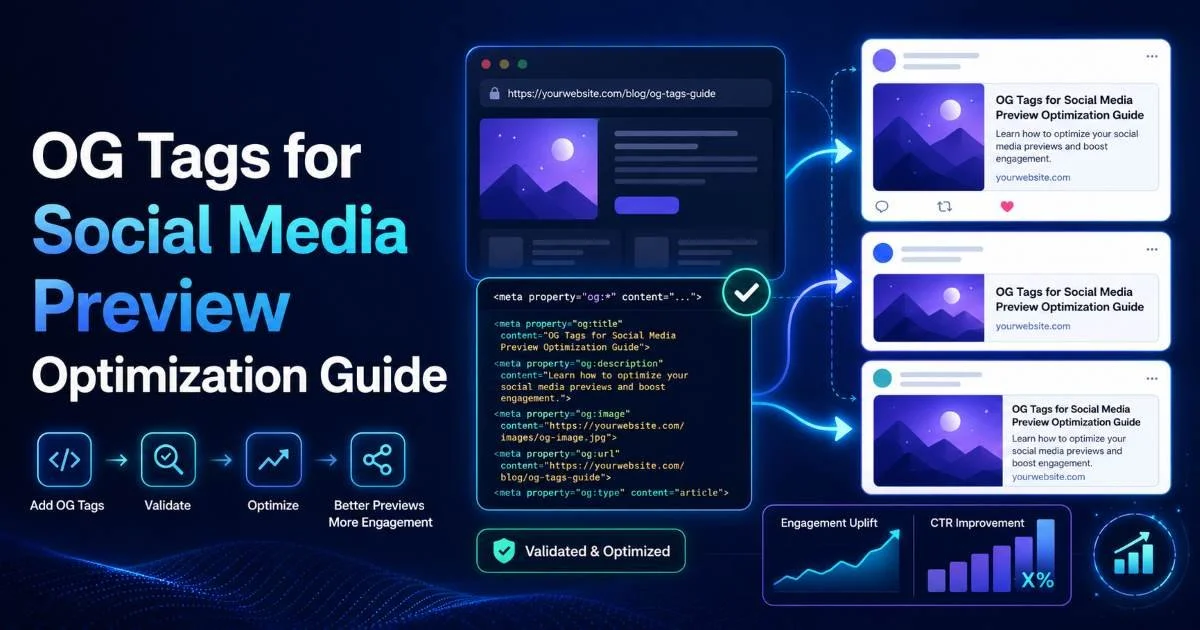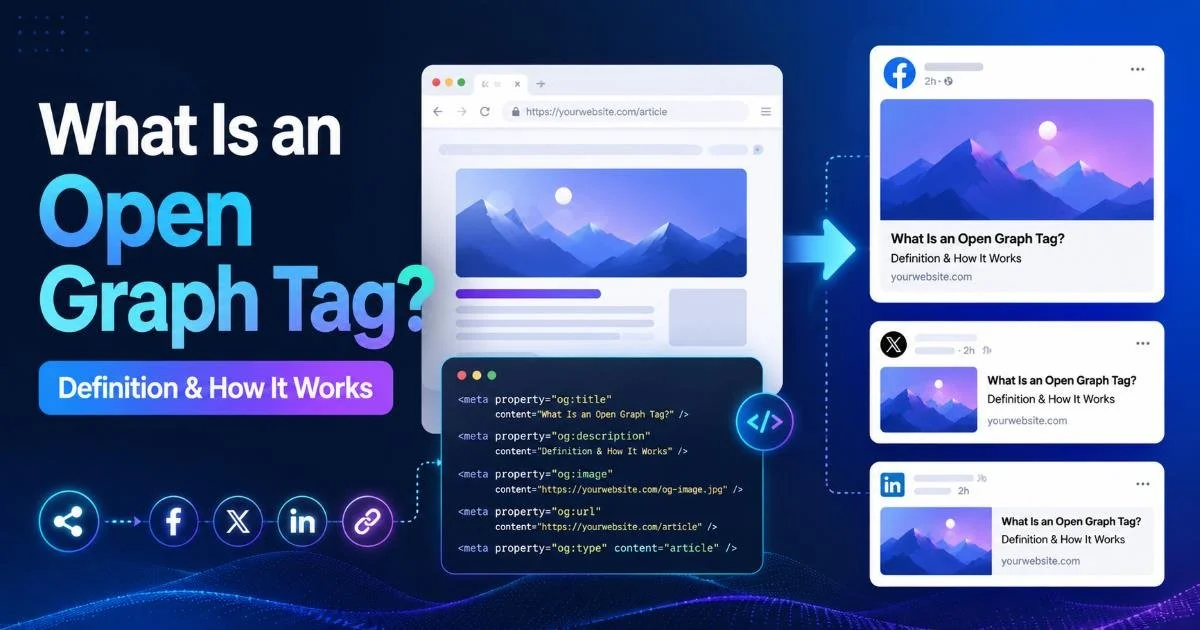
An open graph tag checker is a tool that scans any URL to read, display, and validate the Open Graph (OG) meta tags embedded in a webpage's HTML, helping developers and SEO specialists confirm how their content will appear when shared on social platforms like Facebook, LinkedIn, Twitter, and Slack. If you've ever shared a link only to see a broken image, a truncated title, or a completely wrong description appear in the preview card, you already understand the frustration that proper OG tag validation prevents.
For web professionals, these small metadata errors translate directly into lower click-through rates and diminished brand credibility. The stakes are real: social platforms rely almost entirely on OG tags to generate link previews, and a missing or malformed tag can quietly sabotage your content distribution strategy.
Using an open graph tag checker like the one available at OG Checker gives you a fast, reliable way to preview open graph tags before your audience ever sees them. This article explains what these tools do, how they work under the hood, and why they matter for anyone publishing content on the modern web.
Key Takeaways
- Open Graph tags control how your links appear in social media preview cards.
- An open graph tag checker reads your page's HTML and validates each OG property.
- Missing og:image tags are the most common cause of broken social link previews.
- Platforms cache OG data aggressively, so test before publishing, not after.
- Validating metadata regularly prevents silent traffic losses from poor social sharing.
What Are Open Graph Tags?
Open Graph is a protocol originally created by Facebook in 2010. It lets any webpage become a "rich object" within a social graph by embedding specific meta tags in the page's <head> section. When someone pastes a URL into a social platform, that platform's crawler fetches the page, reads these tags, and builds a visual preview card with a title, description, image, and URL. Without these tags, platforms either guess (often poorly) or show nothing at all.
The Core OG Properties
The Open Graph protocol defines several properties, but four are considered required: og:title, og:type, og:image, and og:url. Most practitioners also treat og:description as essential since it populates the snippet text beneath the title in preview cards.
Additional properties like og:image:width, og:image:height, and og:locale help platforms render previews more accurately and quickly. For a thorough walkthrough of implementing these tags from scratch, freeCodeCamp's Open Graph guide is an excellent starting point.
| Property | Purpose | Required | Example Value |
|---|---|---|---|
| og:title | Preview card headline | Yes | "How to Optimize Link Previews" |
| og:description | Snippet text below the title | Recommended | "A guide to metadata best practices" |
| og:image | Thumbnail image URL | Yes | https://example.com/image.jpg |
| og:url | Canonical URL for the content | Yes | https://example.com/article |
| og:type | Content type classification | Yes | article, website, product |
| og:image:width | Helps platforms pre-allocate space | Optional | 1200 |
| og:image:height | Helps platforms pre-allocate space | Optional | 630 |
Getting the image dimensions right matters more than many developers realize. Facebook recommends 1200×630 pixels, and LinkedIn performs best with a similar ratio. When dimensions are missing, the platform must fetch the entire image to calculate its size, which slows rendering and sometimes causes timeout failures that result in a blank preview card. Specifying width and height properties eliminates that risk entirely.
Always include og:image:width and og:image:height to prevent platforms from needing to download the full image before rendering your preview.
How an Open Graph Tag Checker Works
Fetching and Parsing
When you enter a URL into an og tag validator, the tool sends an HTTP request to that URL, much like a social platform's crawler would. It downloads the HTML response, then parses the <head> section looking for <meta property="og:..."> tags. Good checkers also inspect Twitter Card meta tags (twitter:title, twitter:image, etc.) since some platforms fall back to these when OG tags are absent. The tool then compiles all found tags into a structured report.
The parsing step is where quality tools differentiate themselves from basic ones. A robust meta tag checker will flag common errors: missing required properties, image URLs that return 404 errors, titles that exceed recommended character limits, and descriptions that are either too short to be useful or too long to display fully. Some tools also check whether the page uses JavaScript rendering that might prevent crawlers from seeing the tags at all, which is a frequent issue with single-page applications built on React, Vue, or Angular.
If your site renders OG tags via client-side JavaScript, most social platform crawlers will not see them. Use server-side rendering or pre-rendering for meta tags.
Rendering the Preview
After parsing, the checker generates a visual simulation of how the link will look on various platforms. This social sharing preview tool capability is arguably the most valuable feature because it lets you catch visual problems before they go live. You can see whether your image gets cropped awkwardly, whether your title wraps onto a third line, or whether your description gets cut off mid-sentence. The OG Checker tool renders these previews instantly, giving developers a fast feedback loop during the QA process.
The preview rendering also reveals platform-specific differences. Facebook uses a 1.91:1 aspect ratio for link preview images, while LinkedIn may crop differently. Twitter (now X) has its own card format with distinct dimension preferences.
A single og:image that works perfectly on Facebook might display with an awkward crop on LinkedIn. Testing across platforms using a checker helps you choose an image composition that works universally, or alerts you to add platform-specific overrides.
Why Validating Social Metadata Matters
Social sharing drives a significant portion of referral traffic for most websites. When your OG tags are broken, every share of your content becomes a missed opportunity. A link preview without an image receives dramatically less engagement than one with a compelling visual. According to various marketing studies, posts with images generate roughly 2.3 times more engagement on Facebook than those without. If your og:image tag is missing or broken, you are effectively invisible in crowded social feeds.
Beyond click-through rates, broken metadata creates a perception of unprofessionalism. When a VP of Marketing shares your SaaS landing page on LinkedIn and it shows up with a placeholder image or the wrong title, that reflects poorly on your brand. For teams investing in AI-powered graphic design tools to create polished social assets, failing to validate the OG tags that deliver those assets to social feeds is a costly oversight. The visual you spent hours designing means nothing if a broken tag prevents it from appearing.
"Every broken OG tag is an invisible tax on your content distribution, silently reducing the return on every piece you publish."
Real-World Impact
Consider a practical scenario. An e-commerce site launches a product page and shares it across social channels. The og:image points to a staging server URL that's no longer accessible. Every share, every repost, every time a customer shares that product with a friend, the preview card shows a grey placeholder.
The marketing team doesn't notice for weeks because they never used an open graph tag checker before launch. By the time it's fixed, the platform caches have already stored the broken preview, requiring manual cache purges on each platform.
Facebook, LinkedIn, and Twitter all cache OG data. After fixing tags, you must manually clear each platform's cache or use their debug tools to force a re-scrape.
This caching behavior is one of the strongest arguments for validating metadata proactively. Once a platform caches your broken OG data, the damage persists even after you fix your HTML. Facebook's Sharing Debugger, LinkedIn's Post Inspector, and Twitter's Card Validator each require separate manual interventions. Running your URLs through an Open Graph tag checker before publication prevents this entire cascade of problems.
Common Misconceptions and Related Concepts
One widespread misconception is that OG tags affect SEO rankings. They do not. Google does not use Open Graph tags as a ranking signal. However, better social previews lead to higher click-through rates on shared links, which drives more traffic, which can indirectly support SEO goals through increased brand searches and engagement signals. The relationship is indirect but meaningful. Another misconception is that setting OG tags once is sufficient. In reality, CMS updates, redesigns, template changes, and content migrations frequently break or overwrite OG tags without anyone noticing.
OG Tags vs. Twitter Cards
Many developers confuse Open Graph tags with Twitter Card tags. While they serve a similar purpose, they are distinct protocols. Twitter will fall back to OG tags if no Twitter Card tags are present, but the reverse is not true. Facebook, LinkedIn, and most other platforms only read OG tags. Best practice is to implement both, with Twitter Card tags taking priority on Twitter and OG tags serving everywhere else. A comprehensive social sharing preview tool will validate both protocols simultaneously, saving you from maintaining two separate testing workflows.
A related concept worth understanding is Schema.org structured data. While OG tags control social previews, Schema markup controls rich snippets in search engine results. They operate in different contexts but share the goal of giving machines better information about your content.
Read also How to Audit Your Anchor Text Profile Step by Step
Some meta tag checkers validate both, though specialized tools tend to do a better job with each protocol individually. If you are already using an open graph tag checker, adding a Schema validation step to your workflow is a natural next move.
Finally, some developers assume that their CMS handles OG tags automatically. WordPress with Yoast SEO, for example, does generate default OG tags. But "generated" does not mean "correct."
Autogenerated og:image tags might pull the first image in the post body, which could be a small icon or an irrelevant decorative element. Autogenerated descriptions might truncate oddly. Always validate social metadata manually, even when your CMS claims to handle it. Trust, but verify.
Add OG tag validation to your pre-publish checklist alongside spell-checking and link verification. Make it a non-negotiable step.
Frequently Asked Questions
?How do I test OG tags before a page goes live?
?Do OG tags work the same way on LinkedIn and Facebook?
?How long does it take to fix a broken og:image across platforms?
?Can missing OG tags actually hurt SEO or just social sharing?
Final Thoughts
Open Graph tags are a small piece of your website's HTML that carry outsized influence over how your content performs on social platforms. Using an open graph tag checker regularly is one of the simplest, highest-impact habits a web developer or SEO specialist can adopt.
The OG Checker blog covers additional tips and updates on metadata best practices. Preview your tags before you publish, fix issues before platforms cache them, and treat social metadata with the same rigor you give to any other part of your technical SEO workflow.
Disclaimer: Portions of this content may have been generated using AI tools to enhance clarity and brevity. While reviewed by a human, independent verification is encouraged.